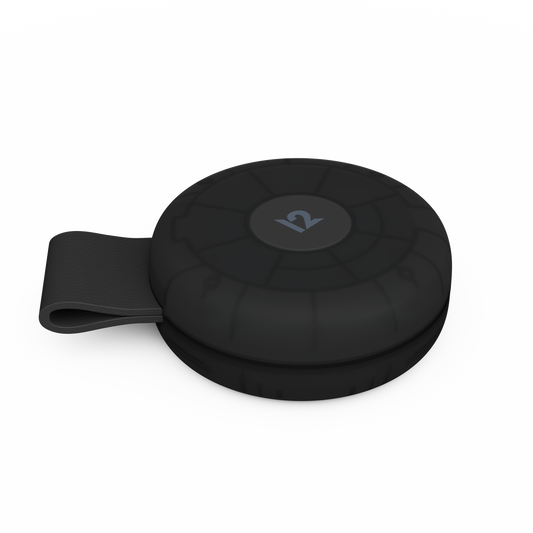

BassJump 2 Subwoofer
Photos
Reviews
"The sound coming out of our MacBook went from being tinny and paper-thin to full enough to rock our office" - Rated 4.5 (out of 5) & MacLife Editors' Choice ... Read More
…
Hooking up BassJump literally could not be easier. Connect it to a USB port with the included cable, and you’re done. The first time out, you’ll have to download and install the BassJump Preference pane, but once that’s done, your system will automatically recognize the subwoofer when it’s plugged in. And at less than one and a half pounds, you’ll probably be moving the 5x5x2.24-inch BassJump frequently--either between Macs or in and out of your travel bag.
But remember that BassJump is designed with MacBooks in mind. So while it provided marked improvement in the audio performance of our favorite laptop, it was less impressive when hooked up to our iMac. That’s because the iMac has more powerful speakers--a fact that, to its credit, Twelve South freely admits on its website. So for most of our testing, we wired up the BassJump to our 13-inch MacBook Pro, listening to everything from A Tribe Called Quest’s old-school hip-hop jams to Yeasayer’s indie electronica beats--and to good effect. The sound coming out of our MacBook went from being tinny and paper-thin to full enough to rock our office. If you do a lot of listening at your desk, the BassJump is a great alternative to the innumerable iPod speaker docks crowding the market at about the same price point.
Its Preference pane is also clever, allowing you to adjust the crossover point, fine-tuning the frequencies that get sent to the subwoofer. There’s also a separate slider to control the BassJump’s volume. Between the two settings, you can tune the system to your liking--or just use one of the five presets for different genres of music. The included padded carrying case makes BassJump attractive for travelers too. It’s hard to find fault with BassJump--it performed well with minimal fuss. We love that it grabs audio and power via a single USB connection, although a pass-through USB port would have been a nice touch since BassJump eats up one of your two precious ports.
THE BOTTOM LINE
BassJump turns your MacBook up to 11. If you listen to iTunes while you work, it offers a significant boost in sound quality with minimal cable mess.
"we don't think you'll find a product that does a better job at improving the sound from your MacBook" ... Read More
...
It's no secret that factory-installed laptop speakers lack a certain luster found in conventional standalone speakers. Sure, you could carry around a pair of external speakers, but they'll require power and that ultimately limits where you can take them. Apple has significantly improved the sound quality in its line of MacBook computers, but their speakers' overall sound remains tinny and shallow.
We've yet to see a device that attempts to improve sound quality like the BassJump portable subwoofer does, and more importantly, we're not sure we've seen a product that does as good of job either. It won't turn your MacBook into an all-out rocking sound system, but the BassJump will drastically improve its overall sound quality and add that extra oomph to your music.
…
We were impressed with BassJump's software. It gives you a visual representation of the audio currently playing--with analog gauges to boot--and lets you control the overall volume of the BassJump. Most importantly, the software gives you access to the crossover frequency that you'll probably need to tweak, depending on your preference. That said, the BassJump immediately impressed us with its out-of-the-box sound. The system software also contains various preset crossover settings for all types of music genres.
In terms of performance, the BassJump makes a MacBook's speakers sound the best they're probably going to sound without turning to external speakers. After a bit of tweaking, we were able to find an optimal balance between our MacBook Pro speakers and the BassJump and were very satisfied with the results.
With the BassJump, the jazz-inspired mixture of instruments from Koufax sounded heavy and full of bass, whereas the harder rock of Them Crooked Vultures proved to us that the BassJump had enough oomph to handle a wide variety of tunes.
When we pushed the BassJump to its limits, we were glad to hear an absence of distortion. Incredibly enough, the unit can go quite loud--even though it's primarily responsible for adding a low frequency effect to your existing music.
...
Overall, we were impressed with the BassJump portable subwoofer. For the MacBook owner who doesn't want to splurge on an external stereo system or speakers, we think the BassJump is the best way to go. It costs as little as $60 online, but we don't think you'll find a product that does a better job at improving the sound from your MacBook Pro's internal speakers.
"the perfect device for those who want some increased quality out of the Macbook speakers on the go" ... Read More
…
Aesthetically, the BassJump is beautiful. It's brushed aluminum look fits perfectly with aluminum Macbooks, and at 5x5 inches (with rounded edges) it's just small enough for most desks, but not quite portable. The speaker grille is an attractive black metal mesh that doesn't bend at all, and the entire bottom of the devicee is covered in smooth rubber for excellent grip, along with logo indentations that match up to the professional engraving of Apple's iPods. This thing certainly looks great sitting next to my macbook. It's just weighty enough to feel like it's valuable, and the only port that exists is the one mini-usb port on the back. It even comes with a soft carrying case that fits the form factor perfectly.
The software that comes with the BassJump installs right into system preferences. It's not overly complex, but provides just enough room for tweaking either the BassJump volume or crossover frequency (the frequency in which the software splits the treble from the bass). I also welcomed the old-style gauges that display the output in real time. The usb response was snappy--as soon as I plug in the speaker the system recognizes it, and turns on the software for it (if you have it set that way).
So how does it work? The BassJump software splits the audio output into a treble and a bass, and then sends that bass through usb to the BassJump speaker, and the treble to the laptop's built-in speakers. The beauty of this is that the high-quality Macbook speakers are not wasted--they are simply reserved for the frequencies they are best at, and the BassJump handles the rest.
But how does it perform? First of all I must say that audiophiles like me get much more out of this than a regular user, so the reaction to it may vary. I could notice a definite difference in my music played with the BassJump, a pleasant one at that. The audio sounded fuller and slightly more powerful. Sound effects from videos (such as explosions and gunfire) sounded much deeper and more realistic, and I felt like the tinniness of my laptop's speakers had been balanced properly. That being said, don't expect this thing to thump (I never did). Though it is technically a subwoofer, it is still only roughly 2 inches, and it is not gonna be shaking anything no matter how loud you turn it up.
This is the perfect device for those who want some increased quality out of the Macbook speakers on the go, but don't want to put their built-in speakers to waste. Twelve South's idea of using all of the speakers in tandem is genius, and other manufacturers of portable speaker devices should look to this lead. After all, why waste the high-quality speakers Apple built into your laptop?
All in all, I am deeply satisfied with my BassJump. It is a hands-free, simple, and efficient solution to a recurring problem for any laptop user. It doesn't have the jumbled cords of most portable speaker setups, and it fits in perfectly with the design of Apple's laptops. If you have $80 lying around and want a richer multimedia experience on your Macbook, stop by twelvesouth.com and they can hook you up.
"The difference between listening to your MacBook’s speaker by themselves, and your MacBook’s speakers paired with the BassJump 2, is astonishing." ... Read More
…
The built-in speakers on a Mac laptop aren’t bad, they’re just thin sounding thanks to the lack of a subwoofer to properly handle the lower ranges. Traditional three piece computer speaker systems bypass your built-in speakers in favor of two external tweeters and a subwoofer. In contrast, the BassJump 2 from TwelveSouth goes for a more simple approach: instead of bypassing your built-in tweeters, it offers a subwoofer which pairs up with them.
Things aren’t supposed to work with this way, so the BassJump 2 gets around it by connecting to your MacBook’s USB port instead of its audio port. A small piece of free software is required to allow the subwoofer to work at all, and also allows its relative volume and bass level to be fine tuned. Because the unit gets its power via USB, there’s no separate power cable involved.
What you end up with is 2.1 stereo sound coming from your MacBook by only adding a single small speaker unit which is about two inches tall and about four inches deep and wide. If you’re looking to save desk space or travel light, and the fact that you bought a laptop suggests that you are, then the BassJump 2 will serve you well on both fronts. It even comes with a zippered travel pouch.
In purely sonic terms, you can get your hands on external tweeters which will sound better than the ones built into your MacBook. And you can find (much larger) subwoofers which sound better than than this one. But if sticking to a small package is a priority, then the BassJump 2 offers a lot of bang for the buck for its size. The difference between listening to your MacBook’s speaker by themselves, and your MacBook’s speakers paired with the BassJump 2, is astonishing. As a bonus, its brushed silver metal sidings and black trim make it stylistically compatible with Mac computers.
Notes: the primary difference between the new BassJump 2 and the original BassJump is in the software; if you already have the latter, you can grab the new software for free here. This product is clearly aimed at Mac laptops like the MacBook Pro and MacBook Air, but also works with any Mac. It’s not compatible with Windows. Be sure you set the unit right side up on your desk, as its symmetrical design makes it easy to accidentally place it upside down. Use the “12″ logo on the front for guidance as to which side is up.
BackPack Top View
Pellentesque habitant morbi por senectus et netus et malesuada it fames ac turpis egestas.
Download